Get started with VPS2
Prerequisites
This guide assumes that you have already completed:
Adding VPS2 to your projects
The Niantic Spatial Unity SDK (NSDK) uses AR Foundation as the interface for exposing its features. Adding VPS2 is therefore similar to adding other AR Foundation components.
ARVps2Manager
ARVps2Manager is a trackable manager that manages georeferenced anchors. An anchor represents a real-world pose that the device maintains over time. With VPS2, anchors can be persisted and shared across AR sessions.
The manager can also convert between local AR poses and global geopositions (and vice versa).
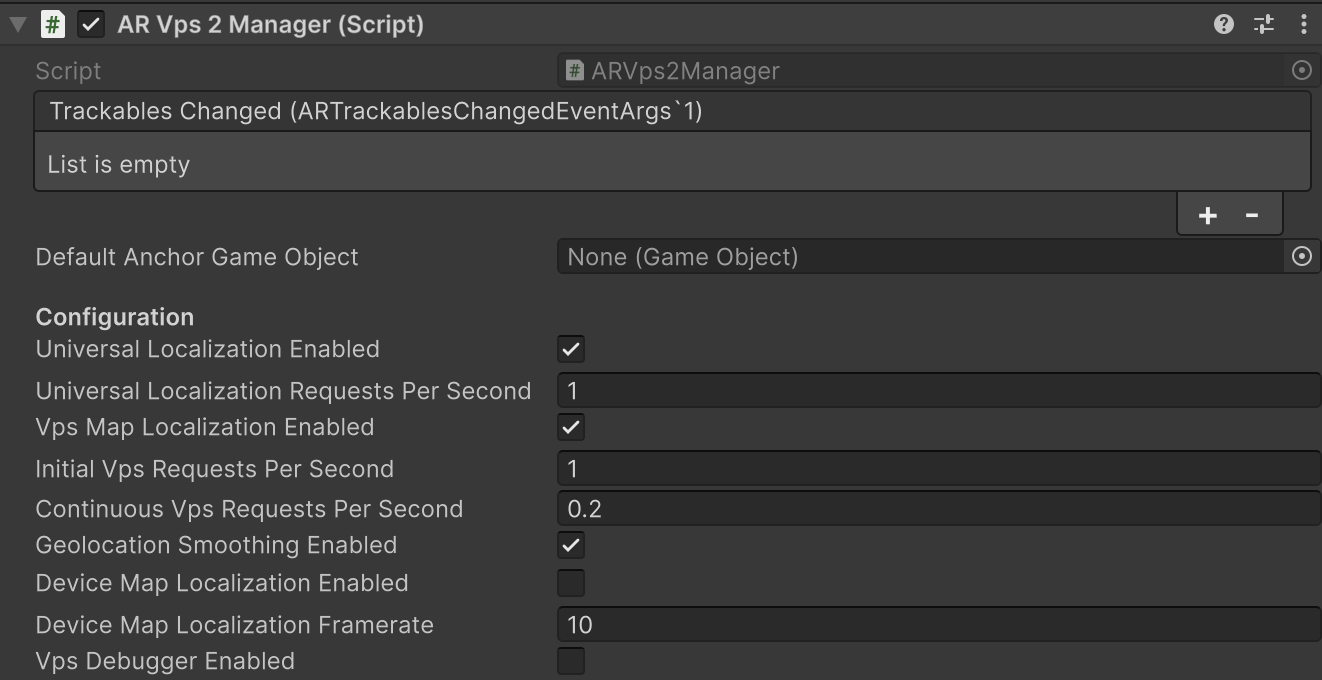
Configuration Fields
| Field | Default | What it controls |
|---|---|---|
| Universal Localization Enabled | Enabled | This field enables Cloud-based Geopositioning. When active, VPS2 sends AR sensor data and camera imagery to the server to calculate the device’s absolute geographic coordinates and heading. This method can improve geoposition accuracy beyond local sensor fusion but requires a network connection. If disabled, the system relies exclusively on local sensor fusion. |
| Universal Localization Requests per Second | 1 | Frequency of cloud geopositioning requests. |
| VPS Map Localization Enabled | Enabled | When active, the system localizes the device against VPS maps to achieve “precise” localization. |
| Initial Requests per Second | 1.0 | Server request frequency prior to the first successful VPS map localization. For example, 1.0 is one request per second. |
| Continuous Requests per Second | 0.2 | Server request frequency after the initial localization. For example, 0.2 is one request every five seconds. |
| Geolocation Smoothing Enabled | — | Enables interpolation between localization updates. This minimizes “snapping” or visual jumps during abrupt GPS or compass recalibrations, ensuring a stable AR experience. |
Coarse and precise localization are configured independently, so you can enable either one on its own or both at the same time.
ARVps2Manager enables both Universal Localization and VPS Map Localization, so a scene that uses the component runs coarse and precise localization together (configurable through the inspector component).
Starting and Stopping VPS2
VPS2 starts and stops according to the Unity component lifecycle. When started, the system begins collecting sensor data required for localization. Coarse positioning estimates are typically available within a few seconds after the AR session begins running.
When stopped, all anchor state is reset.
Configuration changes to ARVps2Manager are applied only when the component starts and cannot be modified while it is running.
To restart VPS2 with a different configuration, disable the ARVps2Manager component, change the configuration, then re-enable it. Because configuration is read at start, changing a field on a running manager has no effect until the next start.